








Updated 31 October 2026. This article retains my original review, personal observations and screenshots. Prices and selected feature details have been updated from current documentation. Screenshots show the interface at the time of the original review; they are not current pricing or plan comparisons. This update is not a new hands-on test.
Disclosure: I previously worked at Linktree.
Current pricing
| Plan | Monthly billing (US$) | Annual billing (US$/month) |
|---|---|---|
| Free | 0 | 0 |
| Starter | 9 | 7 |
| Pro | 17 | 14 |
| Premium | 35 | 30 |
Annual prices are monthly equivalents paid yearly. Linktree localises pricing; check the currency, taxes and full checkout total. Pro and Premium currently advertise seven-day trials.
Flowcode’s current pricing lists Free and Pro Plus at $25 per month billed annually, with up to 50 Flowcodes and landing pages and analytics for up to 6,000 scans. Confirm currency and checkout total. This is a QR-code and landing-page bundle, rather than the old standalone Flowpage price.
Advantages of using a link-in-bio tool
People often ask me - what's Linktree? What do you mean by bio link tool? What do we need it?
Simply put, a bio link tool gives you just a unique URL to house all your amazing content. Linktree now is the leader in this category, and it's an essential Instagram marketing tool for any brand or influencer and offers some unbeatable benefits:
- Add the link in your Insta story — You can use a bio link tool to link to content from your Instagram stories.
- Cross-platform promotion — From Tiktok to Whatsapp, you can put all your social media profiles, including your content pages, into one bio link page. You don't have to worry about putting a wall of links in a post.
- More Leads — Bio link tools often provide a lead-generation function so you can directly grow your audience and get more sign-ups for your newsletters,
- More affiliate sales— you can choose to add one (or several) affiliate links to your custom bio link landing page as well as your personal/branded links.
- Monetization — You can collect payments directly from the landing page to let your audience support you or offer convenience for your clients to pay for your services.
- Improve brand image — You can design your own style (colour scheme, background images, font and more) to better branding and visual identity.
- An extra social profile - having another social profile that centralises all your important content gives visitors another way to find your website. It does not guarantee higher search rankings or establish authority by itself.
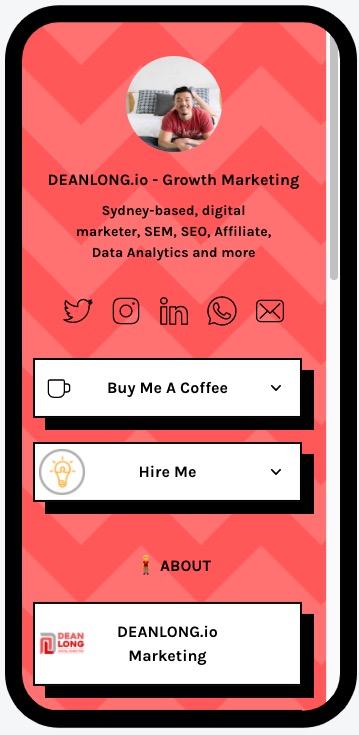
Linktree and Flowpage offer an attractive way to organise destinations behind one social bio link, but there are plenty of reasons you would choose one over the other.
| Comparison | Linktree | Flowpage / Flowcode |
|---|---|---|
| Paid pricing | Pro: US$17 monthly or US$14/month billed annually | Pro Plus: advertised at $25/month billed annually; confirm currency |
| Links and QR codes | Unlimited basic links; QR code for your page | Links and QR-connected landing pages; code/page allowances depend on plan |
| Monetisation | Native paid digital products on Pro/Premium; processing fees apply | Storefront and external payment destinations; confirm checkout requirements |
| Customisation | Pro/Premium add custom designs and branding removal | Fonts, colours, images and link styles; advanced controls vary by plan |
| Marketing and analytics | Insights; GA4 on Pro/Premium | Page/scan reporting and pixel options; check plan limits |
| Advanced features | Paid link scheduling and redirects; Premium adds AI connections | Contact collection, embedded media and QR campaign tools |
Linktree Free vs Flowpage
When you look at the overall comparison, you might find Linktree has the maximum advantage in this competition. However, it all depends on what you need the most and what fits you the most. Linktree was already an established product when I wrote the original review. Its free plan remains a sensible starting point for testing a simple page. With that in mind, let's compare the FREE versions and see what you can get without giving out anything from your pocket.
| Comparison | Linktree Free | Flowpage / Flowcode Free |
|---|---|---|
| Price | Free | Free plan available |
| Links | Unlimited basic links | Build a landing page; check current page/code allowances |
| Design | Basic profile design | Design controls documented; verify which are included free |
| Analytics | 28 days of Insights history | Check free-plan scan and page-reporting limits |
| Media | Links to video and music destinations | YouTube, Spotify and embedded media documented; confirm plan access |
| Payments | Paid native digital sales require Pro/Premium | Can direct visitors to external destinations; verify any selling tools |
| Tracking | UTM tags on destination links; GA4 requires Pro/Premium | UTM links and pixels documented; do not assume all pixels are free |
When you look at the free versions of these landing pages, they may seem to go head-to-head, but there is a great divide between the pro versions. Read on to learn key details that set Linktree and Flowpage apart and which one might work best for your needs.
Linktree PRO vs Flowpage
| Comparison | Linktree Pro | Flowcode Pro Plus |
|---|---|---|
| Price | US$17 monthly; US$14/month billed annually | $25/month billed annually as advertised; confirm currency |
| Offer | Bio page, creator design and audience tools | Up to 50 Flowcodes and landing pages; analytics for up to 6,000 scans |
| Trial | Seven days currently advertised | Check current checkout offer |
| Digital products | Native paid digital products, subject to country eligibility | Compare storefront/external checkout needs |
| Customisation | Custom backgrounds and branding removal | Check included Flowpage design and branding controls |
| Analytics | 365 days of Insights; GA4 integration | Scan and page reporting; confirm required dimensions and limits |
| Lead collection | Email/phone signup and audience integrations | Contact collection documented; confirm plan access |
Setting Yourself Apart with Advanced Customisation
Both Linktree and Flowpage have clean basic layouts that are easy to customise with colours and themes to match your brand, but it can be hard to stand out when you are using a standard layout.
Linktree Pro offers advanced customisation that helps set you apart from competitors and keep your page in the back of your visitor's minds. These advanced features include:
- Premium and animated themes
- Custom backgrounds
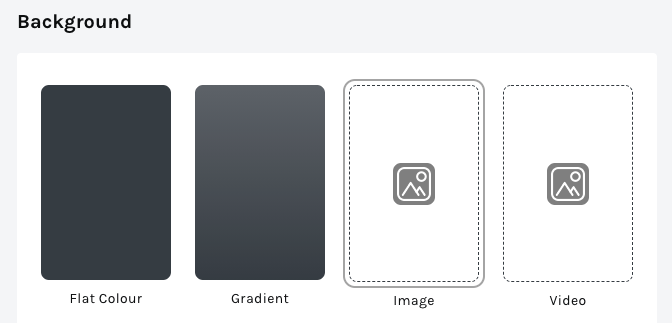
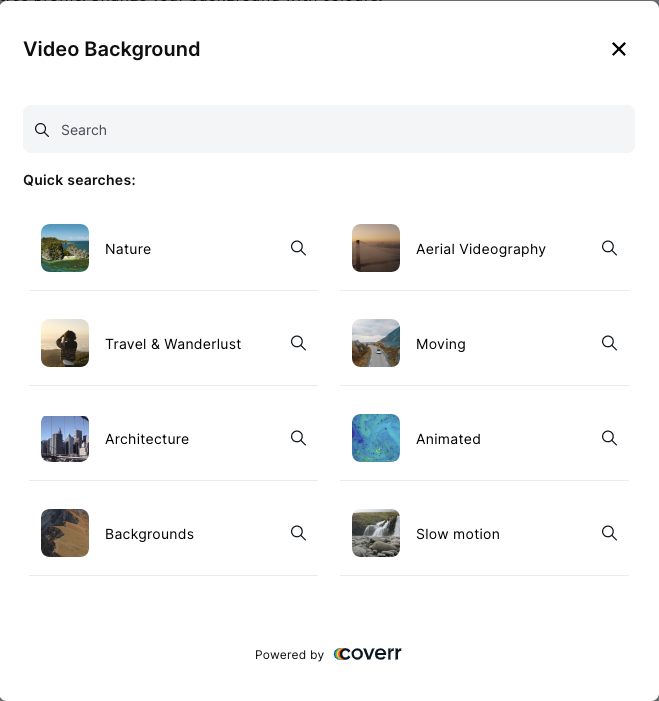
- Animated backgrounds
- Removal of the Linktree logo
| Design area | Linktree | Flowpage |
|---|---|---|
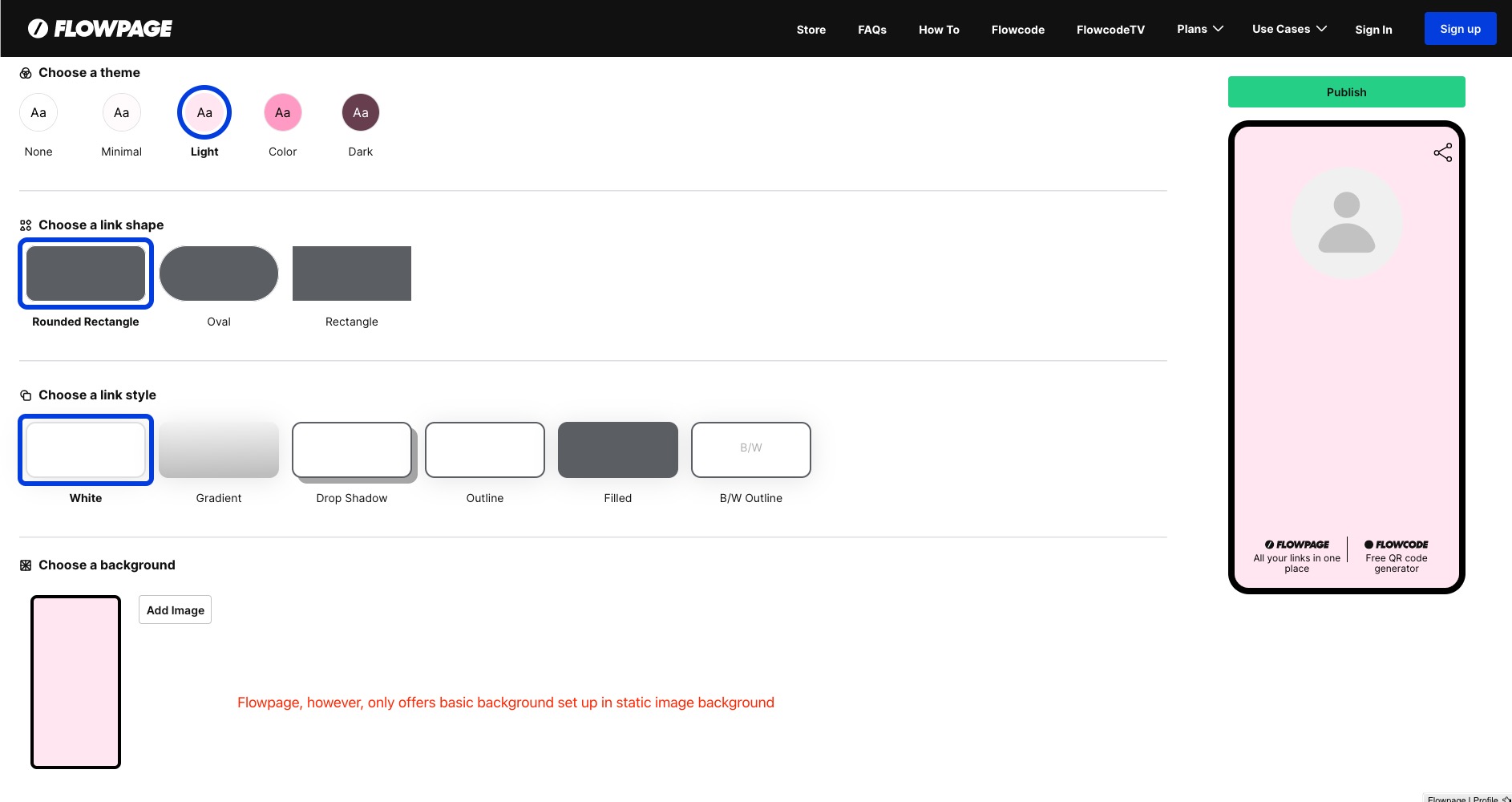
| Colours and images | Profile colours and custom backgrounds by plan | Background colours and uploaded images documented |
| Motion and themes | Video backgrounds and advanced designs on eligible paid plans | Check current editor for animation/video requirements |
| Fonts and buttons | Custom fonts/button styles by plan | Fonts, link shapes, colours and styles documented |
| Branding | Removal on Pro/Premium | Removal documented on advanced plans; confirm subscription |
| My original screenshots | Retained below to show what I tested | Retained below; not a current feature-limit checklist |
The last feature is especially important for someone trying to keep the focus on their brand.

The Power of Analytics
Link-in-bio features are a fantastic way to collect data that will help you move forward. These launching pages have the ability to see what your visitors are interacting with. This information will help you focus on your next steps and shift your focus to the right areas.
Linktree’s current Insights guide gives Free accounts 28 days of history, Starter 90 days, Pro 365 days and Premium lifetime history. My original point still stands: useful reporting should help you understand what visitors do next. When comparing plans, look at:
- Visitor location
- Click-through rates
- Historical data
| Reporting area | Linktree | Flowpage / Flowcode |
|---|---|---|
| History | Free 28 days; Starter 90; Pro 365; Premium lifetime | Confirm retention and scan allowances for the selected plan |
| Page and link performance | Page views and link engagement in Insights | Page visits and link interaction reporting documented |
| Location, referral and device detail | Check Insights dimensions and access for your plan | Confirm available dimensions rather than assuming absent |
| External tracking | GA4 on Pro/Premium; UTM-tagged destination links | UTM-tagged links, Facebook and custom pixel options documented |
| Measurement focus | Follow a bio-page visit through to the destination action | Distinguish QR scans from landing-page clicks and conversions |
When you reach for the same information on Flowpage you can see the basic information like clicks per link, visitor sessions, and click history.
Marketing Integration
Marketing integrations were a major reason I preferred Linktree in my original comparison. Its current Google Analytics integration uses GA4 on Pro and Premium. Combining a bio page’s reports with destination tracking helps you understand your brand and online performance. Check the current plan requirements for each pixel or integration you intend to use.
Flowpage now documents Facebook and custom pixels, UTM-tagged links and landing-page reporting. My old claim that it had no meaningful marketing integrations was too broad. For either product, check which reports and integrations your plan includes, then test that an actual visit or lead appears in the destination reporting.
Monetization Features
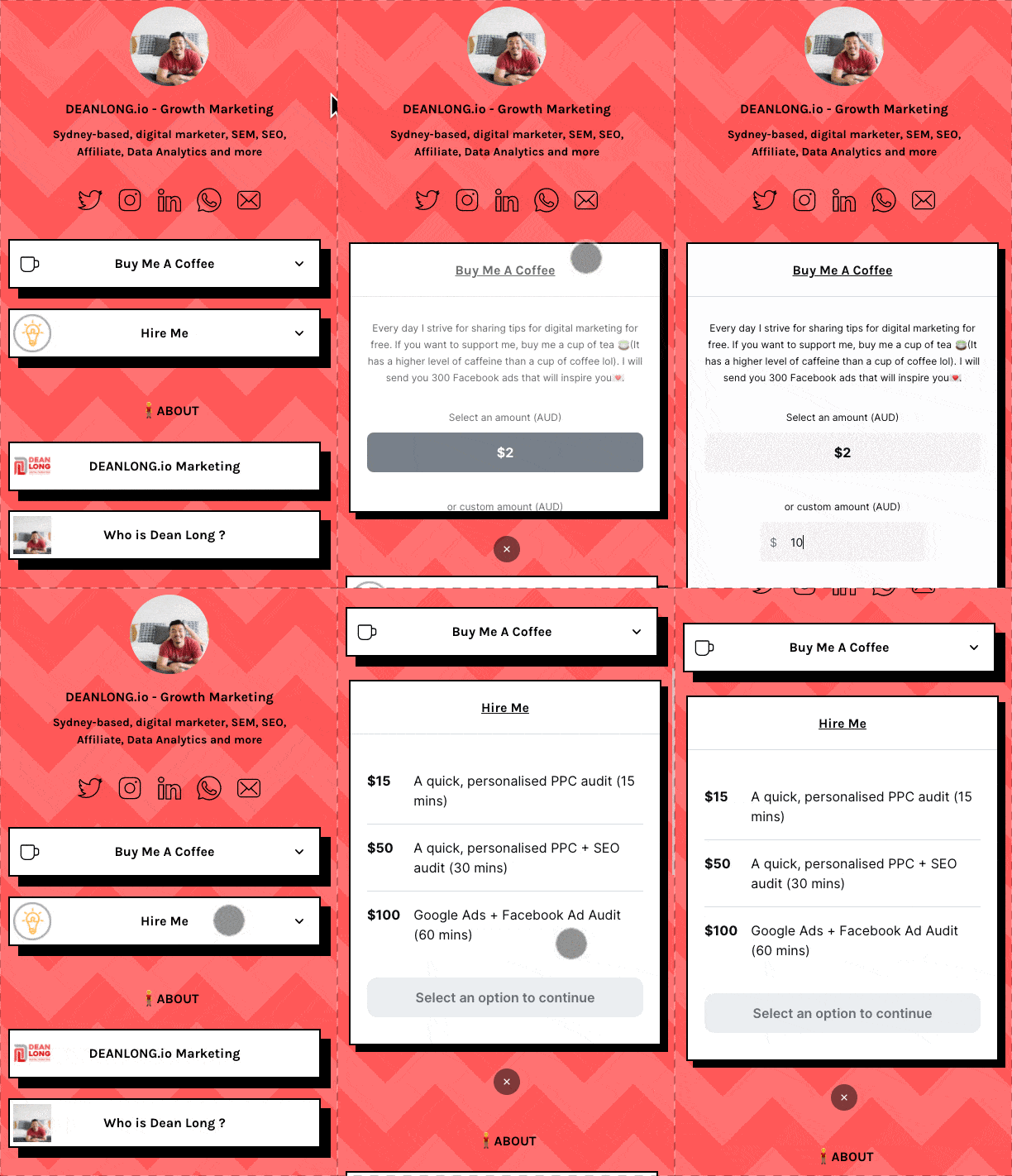
While you can add Venmo or Patreon links to your Flowpage to increase revenue, Linktree has an integrated monetization feature that makes it so much easier for visitors to support you directly.
Linktree now supports native digital-product sales on Pro and Premium, including files such as guides and templates. These plans advertise 0% Linktree platform fees, but payment processing still applies: the current fee guide lists 2.9% + US$0.30 for direct sales, with possible extra charges by payment type. This replaces the old blanket 1.5% fee and “Stripe is on the way” descriptions.

Which Link-In-Bio Page is Better Overall?
In my original review, Flowpage’s clean display and free features appealed to me, but I felt Linktree offered more for the creator page I wanted to build. Username availability is still worth checking on either platform. Flowpage now sits within Flowcode’s wider QR-code and landing-page offer, so it deserves a closer look if your campaign starts with print, packaging or a physical location.
My original recommendation was Linktree because of its price and range of features. I still see its creator tools as a strong reason to consider it, but the old US$6 price is no longer the basis for that view. Compare today’s full plans: a standalone creator page and a bundle of QR codes and landing pages solve different jobs. Keep the features you will actually use at the centre of the decision.
Get More Advice on The Best Link In Bio Tool
- Linktree vs Linkin.bio By Later.com – Which Is Better?
- Linktree vs Linkr.bio - See Who Reigns Supreme On #Linkinbio
- Linktree vs Flow Page - See Who Comes Out on Top in #linkinbio
What has changed since my original review?
The original hands-on observations below remain part of this review. The following additions were checked against current product documentation, rather than a new hands-on test.
Instagram auto-replies can send a link by DM after someone comments. Monthly allowances are 1,000 on Free, 1,500 on Starter, 2,500 on Pro and unlimited on Premium. Linktree also documents social scheduling through Plann; its pricing page places social scheduling on Premium. Premium adds connections to AI tools for updating a page and checking Insights.
Availability varies by country: Australia supports direct earnings, while Linktree Shops, sponsored links and partner affiliate opportunities are currently US-only.